Utah Search Engine Optimization | Utah SEO Consultant

by Utah SEO Pro

SEO and Usability – SES Chicago 2008 Presentation

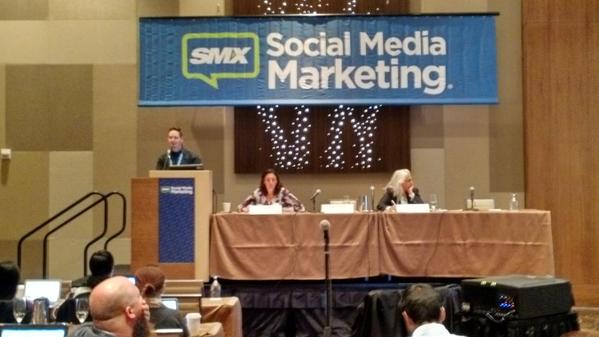
Unfortunately, I was only at SES Chicago just one day to present and catch a few sessions but from what I saw it was great. I met some great people and even got some decent SWAG.

My presentation was on SEO and Usability but I primarily focused on the usability of submission forms on Websites. A form with good usability will increase conversions on a site and decrease user frustration, form abandonment, and bounce rate.

I tied form usability back to SEO with search engines starting to incorporate user behavior data, like bounce rate, into their algorithms. I won’t talk about that further but I did post “The Future of SEO” mentioning it quite a bit as well as Eric Enge’s post on Search Engine Land and SEO Blackhat’s case study post.

Here is my presentation slides:

Comments

Hosting Issues and SEO – Pubcon 2008 Presentation

Pubcon 2008 was a blast. There was great networking and content all around. I spoke on “Hosting Issues and SEO” while I was there and have included my slides in this post for anyone who missed it.

A lot of what I covered entailed how to handle server response HTTP codes and leverage them for search engine optimization benefit, choosing between dedicated or shared hosting servers, and how to prepare your servers for large quantities of traffic from “the Digg effect” often seen in social media marketing campaigns.

Comments

ExactFactor: An SEO Tool Review

ExactFactor is an search engine optimization campaign tracking tool to add to your SEO tools collection. They provide a free utility to track your search engine result positioning without having to check your position all the time.

While a tool to automate that process is nice, they’re a dime a dozen. This tool is a bit different because not only do they track your site but they track your competitors and send you email alerts when you’ve moved up/down or a competitor has moved up/down.

Email alerts are very handy because you can get instant notification of SERP fluctuation that you can be aware of. Have you ever had an SEO client calling you complaining of a search result fluctuation you haven’t notice because you haven’t checked it in a couple days? I know I have, it’s nice to be able to know what the situation is before the client calls.

Below is a screen shot of inside ExactFactor’s easy to use interface. It’s not hard to figure out and very intuitive. Can’t complain when it’s free. Check it out for your next Internet marketing campaign at www.exactfactor.com.

ExactFactor-SEO-Tool

ExactFactor-SEO-Tool

Comments

Sheer SEO: An SEO Software Review

Sheer SEO is a web-based SEO software tool I stumbled across over a year ago but have since rediscovered. The thing I like about this tool is that you can run it on any platform and any browser since it’s web-based. Which is a great solution for Mac users that may not have a lot of Desktop tools to run.

What Sheer SEO does is it stores historical data from your sites so you can keep a close watch on your search engine optimization campaigns without having to frequently check them. It records metrics like:

  • PageRankfluctuation
  • SERP positioning
  • Social Media Votes
  • Referrers
  • and more

Sheer SEO

Above is a picture of Sheer SEO giving a graphical representation of SERP positioning fluctuation given a date range. It tracks search engine positioning from the beginning of your campaigns to give you a visual indicator of the history of your top search terms.

Pricing is based upon how many terms and pages you want to monitor but is very cheap. The highest price is only $15/mo and you can try it out for free for 3 months.

Give Sheer SEO a try if you want to save time on checking search results everyday for your Internet marketing campaigns.

Comments

The Future of SEO

I wrote a post over on my company’s blog about the future of SEO that I’d like my readers to check out. It discusses various methodologies that search engine optimization (SEO) specialists can be looking to take advantage of in the future of SEO.

It’s important that SEOs brainstorm now about how they’re going to take advantage of search engine technology in the future so they aren’t late on the bandwagon.

It covers upcoming search engine technologies such as:

  • User Behavior Data & Personalization
  • OCR (Optical Character Recognition) Scanning
  • Visual Identification
  • Speech Recognition
  • Social Input

So check it out here: http://www.searchandsocial.com/seo-blog/future-of-seo/

Comments

Link Metrics for SEO

I wrote a new post over at my company’s site (Search & Social) on link metrics used for judging a link’s value and worth in SEO. More importantly though, it focuses on link analysis through block-level segmentation patents written by search engines. I’ll include the quick summary below but swing by to read about the most overlooked SEO metric: link placement.

Quick Summary

While a Webpage may have two related outgoing links on it, each link is not given the same value depending upon it’s placement in the page. Always, opt for:

  • Naturally written anchor text
  • Related surround copy
  • A link in the body text of the content area of the page
  • Higher in the copy area than lower to try to obtain higher CTR to appease behavioral metrics given to links from search engines including things like BrowseRank.
Comments

Social Media Expert Quiz

I recently created a quiz for my company which I will be developing a case study for soon to explore what happened with this viral marketing strategy.

I scored 96% on it! How addicted are you?
96%

This quiz was provided by – Search & Social – Media Experts

Comments

Building an SEO Friendly Site – SES San Jose 2008 Presentation

I recently took a day off my honeymoon that went from Utah to San Diego then up to San Jose to present at Search Engine Strategies. The panel I spoke on was Building a Search Engine Friendly Website moderated by Todd Malicoat.

The main focus of this presentation was SEO friendly multimedia (audio, video, flash, etc) incorporated on a Website. My undergraduate was in multimedia communication as well as my current graduate emphasis so this was a perfect fit for me.

Here is the presentation slides including embedded resources. Feel free to contact me with any questions regarding it.

Comments

Mobile SEO – SMX Local Mobile 2008 Presentation

For those who didn’t catch SMX Local Mobile 2008 this year or missed my mobile SEO presentation entitled Cracking the Code: Inside the Blackbox of Mobile & Local Algorithms I have provided my slides here. Feel free to email me with any particular questions or ambiguity the slides my raise with you.

Comments

Advanced Keyword Research for SEO

When conducting keyword research for a client it is common for an SEO (or even a general business owner) to turn to a keyword research tool and start looking up search volumes on keyphrases that come to mind. Some may take it a step further and actually evaluate the keyword effectiveness index (KEI) of each keyphrase to determine the competitiveness and feasibility of a term. All too often those two metrics, search volume and KEI, are all the consideration an SEO might take into accountability before making final judgments.

It’s important to take a step back and look at the big picture when conducting keyword research for a search engine optimization campaign. Optimizing a Website for a keyphrase nobody is looking for is obviously something you want to avoid but optimizing a Website for a keyphrase that is irrelevant to your content and/or business model is something often overlooked.

TYPES OF SEARCH QUERIES

The intent of the searcher is imperative to understand when conducting keyword research. Knowing the intent of the search queries that people are finding your content through will allow you to adjust your content, semantic structure, and call-to-action to fit your users needs.

There are three main types of search queries:

  • Informational – People researching information for a purchase or for general research.
  • Transactional – People searching with intent to take some form of action likely in the form of commerce.
  • Navigational – People searching for a particular site or brand.

If you’ve optimized your page for a certain keyphrase but find that most long-tail keyphrases that contain your main keyphrase have completely different intent when visiting your site you may see a high-bounce rate and low conversion. Traffic and rankings are therefore rendered useless at this point if you can’t serve the needs of your visitors.

Microsoft adCenter Labs has a decent tool on detecting commercial intent of a search query.

SEARCH BUYING CYCLE

search buying cycle

(thanks to Search Engine Guide for this image)

Capturing searchers in the right part of the buying cycle is a crucial element in deciding which keyphrases to optimize your content, site, information architecture, etc. for.

Typically, searchers go through three phases before deciding to make a purchase online.

  1. Interest
  2. Research
  3. Purchase

At the interest phase, people are using very broad terms to start collecting data on a product or service they may be using or purchasing in the future.

For example, a search on “gaming consoles” will bring up results that will likely be weeded out to find the informational related pages about gaming consoles.

At the research phase, people have refined their searches from the interest phase to search for more specific terms such as “Xbox 360 and Playstation 3 reviews” to find out more information they have learned since their initial interest.

At the purchase phase, people are looking to buy a product or service and will be refining their queries to do so. An example may be “cheap xbox 360″ or “buy xbox 360 in [city]“.

As you can see, ranking #1 for “gaming consoles” is great but if it’s strictly an e-commerce page that’s ranking with intent only to sell gaming consoles then you may have high-traffic but a low conversion rate on your site. Ranking for broad terms doesn’t always provide the best value. It’s the long-tail phrases in the purchase cycle that really drive high conversion and ROI as you can see below:

keyword value pyramid
(thanks to Aaron Wall of SEOBook for this image)

Additionally, website optimization is going to be a key element that take the traffic that you are receiving and turned them into qualified conversions.

CONCLUSION

When conducting keyword research think again before immediately being drawn to phrases with the highest search volume. Consider KEI, the commercial intent, and which part of the buying cycle that keyphrase belongs to.

Comments